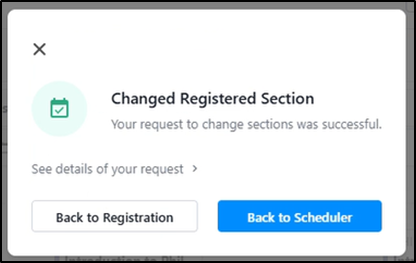
The Change Registered Section feature will allow you to change from one section of the same course to another, such as changing from ARH2000 section 1 to section 3. These same steps may be used by both graduate and undergraduate students to change sections of a class. If you need to change to a different course entirely, see the instructions for Swapping a Course.
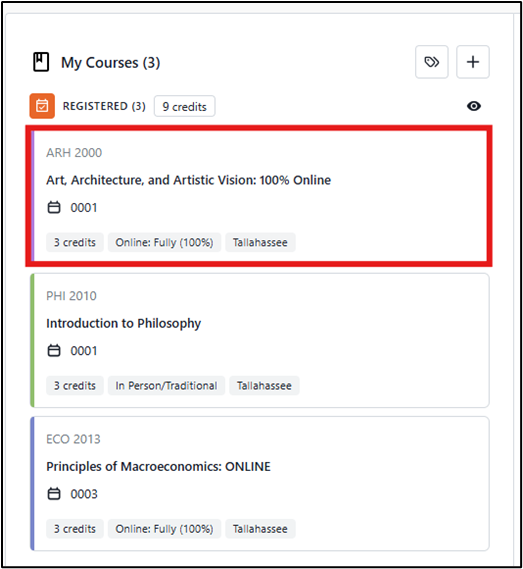
Step 1: Select the Course to be Changed
In the Scheduler click on the tile for the course you want to change.
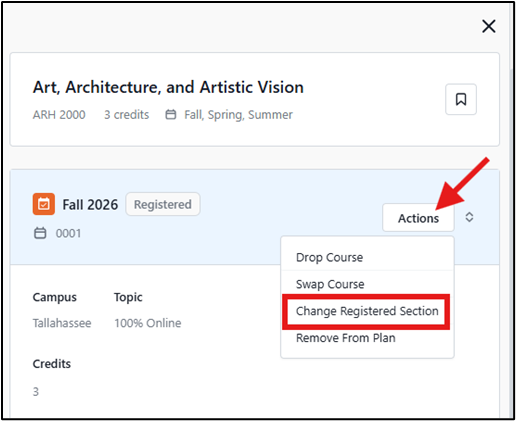
Step 2: Select the Change Registered Section Action
The details for the course will open in the right panel. Click the Actions button and select Change Registered Section from the dropdown menu.
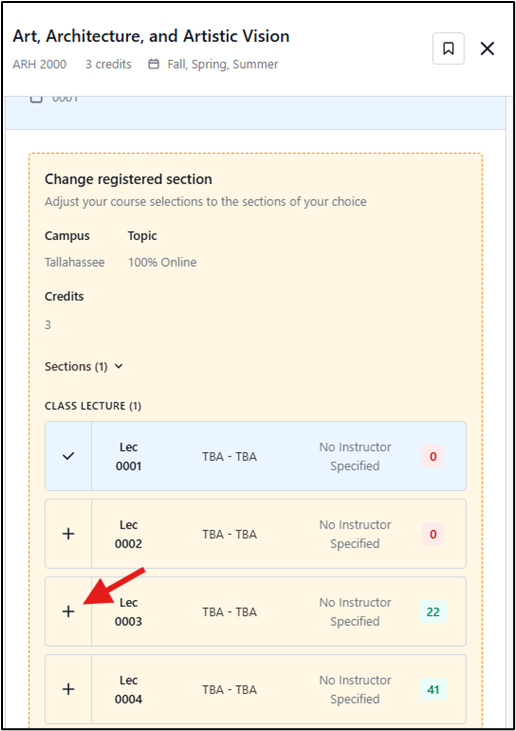
Step 3: Select the new Section of the Course
Scroll down to review the list of sections of the course. The section you are already enrolled in will have a check mark. Click the + sign beside the new section you want to change into.
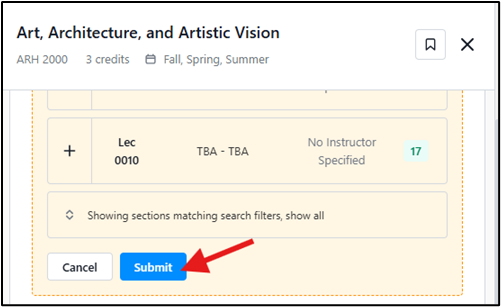
Step 4: Submit the Change Request
Scroll down to the bottom of the panel and click the Submit button.
Step 5: Confirm Sections to be Changed
A pop-up message will appear showing the section you are dropping and the one you are registering for. Review the information for accuracy and click Confirm.
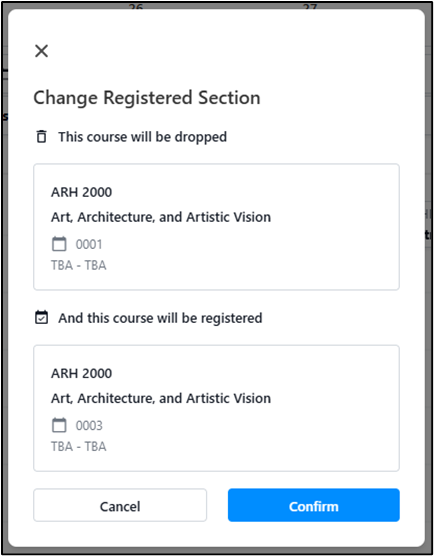
A confirmation message will indicate if the swap was successful.