
The Plan your Path tab in Stellic displays your remaining degree requirements and helps you organize classes into terms.
You can add specific courses or placeholders—draft entries for unmet requirements you haven't yet selected a course for.
Courses appear with a solid line; placeholders with a dotted line. Clicking a placeholder reveals a list of courses that can fulfill that requirement.

Planning your courses provides you with a clear path to graduation and ensures you remain on track with all your requirements. It also assists colleges and departments in determining if specific courses need to be offered in certain semesters.
To build out the plan for your degree requirements:
The example below is for an undergraduate student in the College of Music, but the same planning process may be used by all graduate and undergraduate students in Stellic.
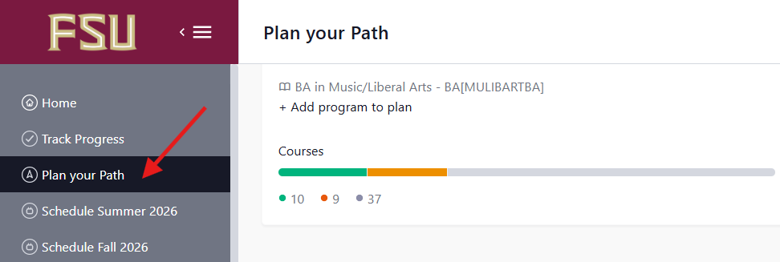
- Click the Plan your Path link in the left side bar of your Stellic homepage.
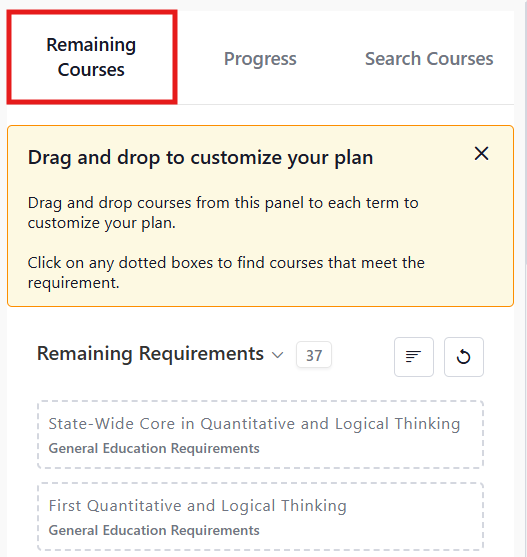
- Select the Remaining Courses tab in the right sidebar to see a list of all the requirements in your degree audit that are not yet completed.
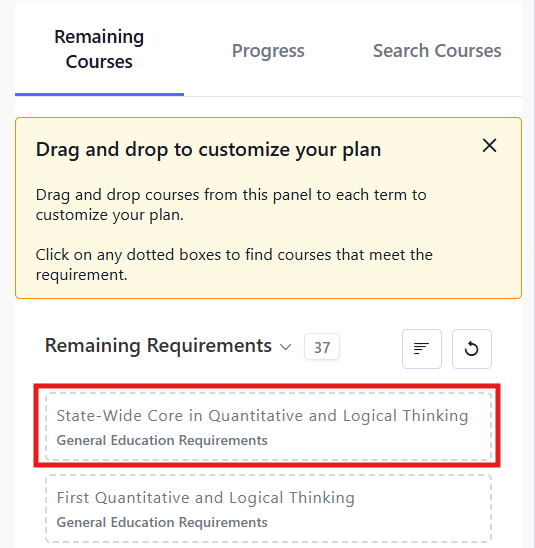
- Find a course or placeholder requirement in Remaining Requirements. You may also use the Progress tab to do a review of your entire degree audit or Search Courses to find specific courses you want to plan that may not be in your audit.
- Click and drag the course or placeholder from the Remaining Requirements list to the term you are planning to complete that requirement.
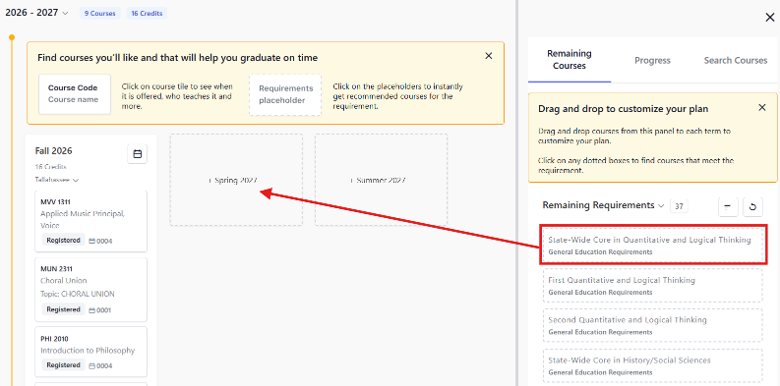
- Release to place the course/placeholder in the term.
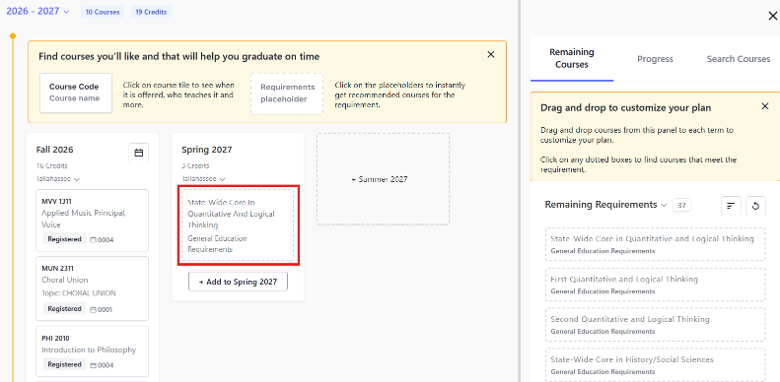
- Continue to drag and drop courses/placeholders from Remaining Requirements to your plan until your plan is complete.
After adding a course to your plan, always check for any error messages about prerequisites or term availability that may appear on the course.